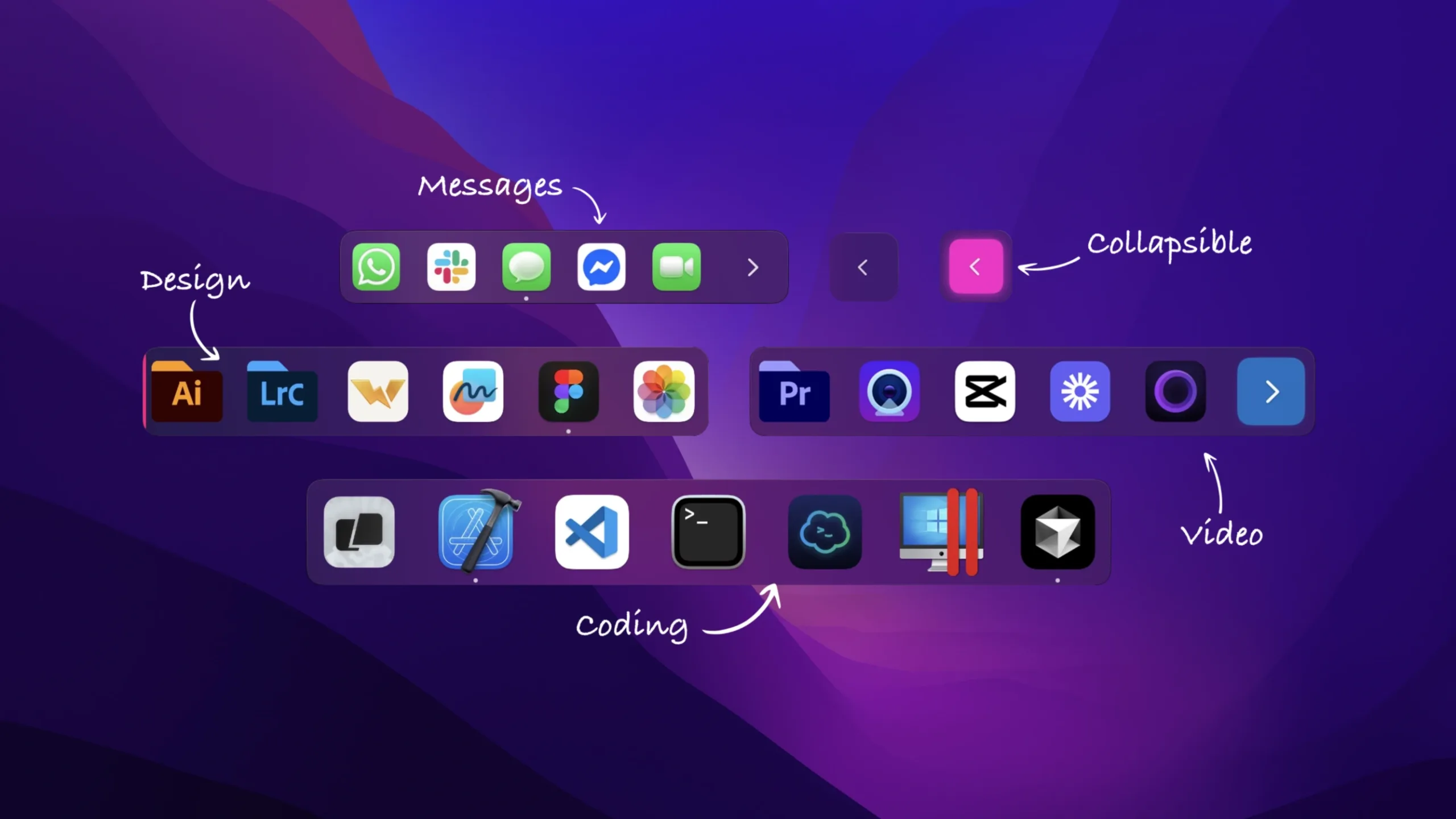
ExtraDock is a simple and easy way to create multiple floating docks on your macOS.
Peculiarities:
-Create unlimited custom docks, each with its own apps, folders, layout, and behavior.
-Move docks freely or pin them to the edges of your screen – top, bottom, left, or right.
-Automatically hides when the screen is turned off and restores its position when reconnected.
-Automatically hide docks, just like native ones. Docks only disappear when you’re not using them.
– Collapse docks into a single button to save screen space. Expand on hover or click.
– Docks recognize full-screen apps and automatically hide on each screen.
-Color each dock in classic, neon or clear colors for easy identification.
– Resize the dock with a slider – from tiny utility panels to large desktop docks.
-Dock labels for workflows: “Development”, “Design” or something else.
– Drag and drop apps to rearrange them in the docks. Create a layout that suits your workflow.
-Add apps and folders by dragging and dropping from Finder, or use the “+” button for quick selection.
-See which apps are open with subtle status indicators on icons.
-The docks are neatly and effortlessly fixed to the edges of the monitor.
-Change the dock orientation to match your screen layout: horizontally or vertically.
-Quickly manage dock visibility, settings, and toggling from the tray menu.
-Each dock has its own color, size, orientation and behavior.
-Low CPU and memory usage. Fast animation and accurate full-screen detection.









You must be logged in to post a review.